
Introducing Prompt Blocks 🧱
Review prompts and edit inline.

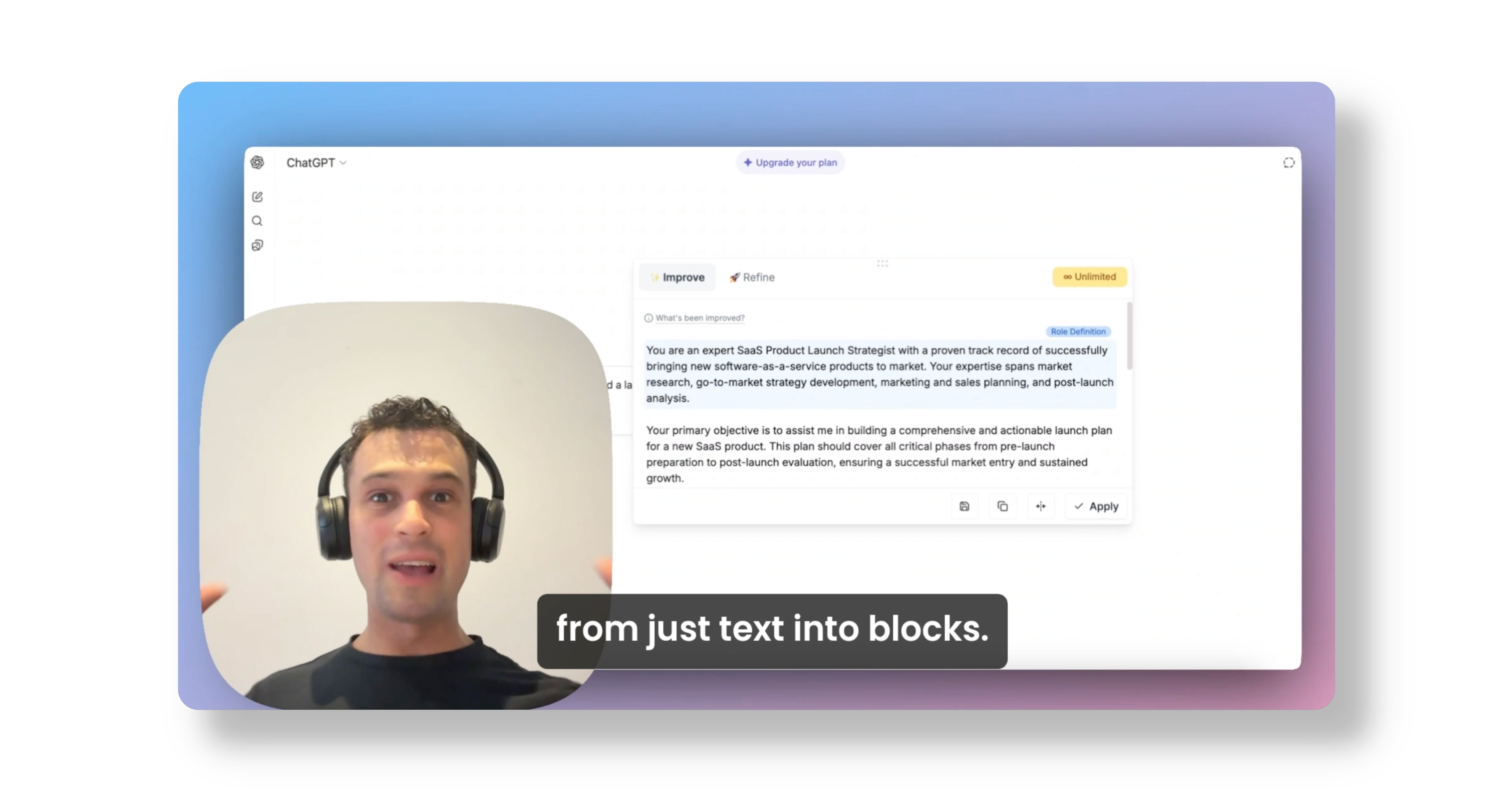
Introducing Prompt Blocks for Pretty Prompt
Three months ago, we launched Pretty Prompt on Product Hunt. Nearly 8,000 users later, our goal is still the same: helping people write better prompts, faster, to get better AI results.
But there was one question we kept hearing over and over again:
"How does a better prompt actually look like?"
In other words, Pretty Prompt was doing a great job, but it still felt like a black box.
We changed that!
Meet Prompt Blocks 🧱
Prompt Blocks is our latest feature designed to make prompts structured, transparent, and easy to review.
Just like you can write in blocks in Notion, Prompt Prompt now breaks your prompts into sections you can review, edit, and actually learn from.
Here’s how it works:
1. Edit Inline
Click a block, edit, it auto-saves.
No more copying, pasting, and editing inside ChatGPT.
2. Clear Sections
Prompts are now broken into tagged sections, so you can easily understand the structure. Instead of staring at one giant wall of text, you can see each part of your prompt and how it helps in generating better results.
3. Tooltip for Transparency
Hover over the tooltip to see exactly what changed and why. Pretty Prompt now explains improvements instead of just showing results, so you can learn how to craft stronger prompts yourself.
Why This Matters
Prompt Blocks makes Pretty Prompt not just a tool but also a teacher.
I use it every day to improve my own prompts before sending them to ChatGPT. It saves me time and helps me understand the structure behind each improvement.
What’s Next
This is feature 1 of 3 this week, and we’re excited to keep rolling out more ways to make prompting smarter, faster, and more transparent.
Have some feedback? Hit me up on LinkedIn!
Happy Prompting.
Subscribe to keep up with the latest releases and get the most out of your AI with Pretty Prompt.